How I use Obsidian to document my business with AI agents
Published on
I use Obsidian as the single place where I write down what I decided in each project of my business: what was decided, when and why. The AI agents I work with read and write in that vault following the same rules. Every agent starts from the same information and no decision gets lost in a conversation.
This guide describes the rules I follow. At the end there is a prompt to copy that gets an AI agent to organise the documentation of your projects with the same method.
In Obsidian, a vault is a folder of Markdown files on your computer. AI agents access those notes through the Obsidian MCP server, when there is one, or open the files directly.
What goes into the vault and what stays out?
The vault holds the documents I asked for and information already decided. Everything else stays out:
- Proposals, open options, open items and to-do lists. I deal with them in the conversation with the agent. Only the result goes into the vault.
- Execution logs, progress reports and debugging notes.
- Secrets, credentials and unnecessary personal data.
- Code, configuration, migrations and licences. They stay in the repository. The vault does not duplicate them.
Each piece of information exists in one place only. There is no second copy in repository docs folders, temporary files or other tools.
How do I organise the folders?
At the root of the vault there is one folder per project, each with its own index, and a Home note that links to every project index. Different projects never mix.
Inside each project, subfolders are by subject, not by document type. For example:
- business, plans and billing, product;
- external integrations, marketing, brand and design;
- communications, support, legal, infrastructure;
- archive and ideas.
The document type (decision, study, procedure, specification, reference) goes in the metadata and in the note name. A folder only exists if it has content for it: a subject with 1 to 3 notes joins the closest subject. Attachment and image folders do not count as subjects.
Archive and ideas
- Archive: has the same subject subfolders and receives what is no longer in force: superseded decisions, completed plans, executed reports and documentation of previous versions.
- Ideas: only what I asked to record for later. When the idea moves forward, the note goes to the subject folder. When I drop it, it goes to the archive.
How do the indexes work?
Every folder and subfolder, including those in the archive, has an index note with:
- one line saying what the folder contains;
- wikilinks to every note in the folder, grouped by sub-topic when that helps;
- a link to the parent index.
The chain of indexes ends at the project index and the Home note. No note is left unlinked in the graph: each one has at least one incoming link. Automatic views (Bases or Dataview) complement the indexes but do not replace them, because an embedded view does not count as a link in the graph.
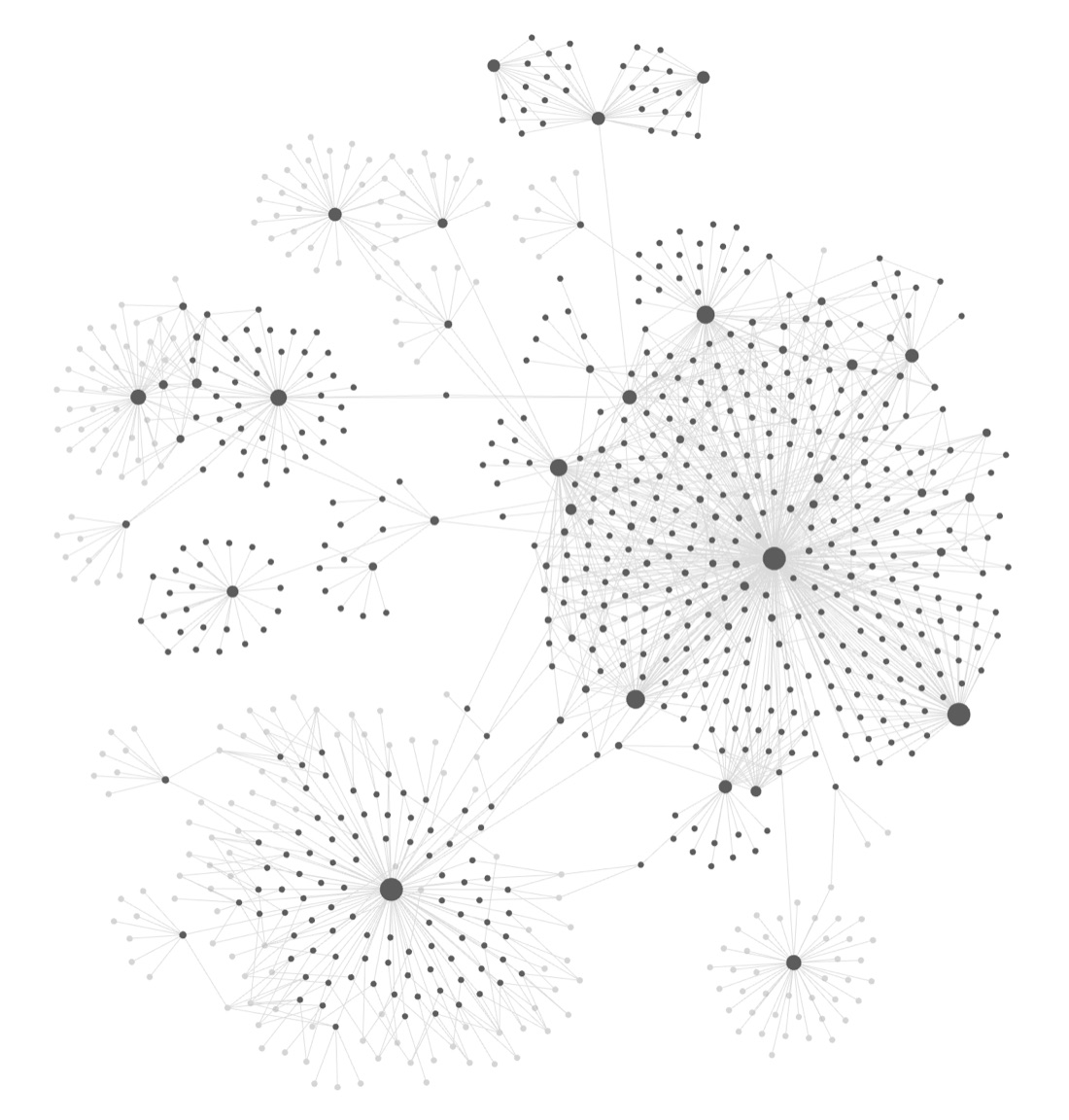
File names are unique across the whole vault, so a short wikilink such as [[Tone of voice]] always points to the same note. In the archive, indexes carry a prefix so they do not repeat the names of other folders.
What metadata does each note have?
Notes in use have four fields in the frontmatter (Obsidian properties):
| Field | Values |
|---|---|
project | Project name. |
type | decision, study, procedure, specification, reference, idea, index and project-specific types. |
status | in force, published, superseded, archived. |
date | YYYY-MM-DD. |
The vocabulary is closed. Neither I nor the agents invent new values or variants, such as singular and plural forms or different spellings. A variant breaks filters and automatic views. In the archive, status: archived is enough.
How do I name notes?
- Dated notes:
YYYY-MM-DD - Clear title.md, with the date first so they sort chronologically. - Permanent reference notes, such as tone of voice or the glossary, may have no date.
- Titles in plain language, without internal acronyms.
How do I record a decision?
A decision only goes into the vault after I make it in the conversation. The note records:
- what was decided;
- when;
- why;
- the alternatives I discarded.
Before creating a note, the agent looks for a note on the same topic and updates it. A new note goes into the subject folder, has frontmatter, links to the folder index and to related notes, and is added to the folder index. A finished, reusable piece of research goes in as a study. Intermediate results do not. When an open item is resolved, only the result is recorded.
How do I edit, move and delete notes?
Edit
- Notes are edited in place, without stacking versions with "v2", "final" or "new".
- When a decision changes, the old note becomes
status: superseded, gets "Superseded by [[new note]]" at the top and moves to the archive of the same subject. - Text is not rewritten beyond what is needed, and existing metadata is kept.
Move and rename
- I move notes inside Obsidian, which updates the links.
- If an agent moves notes through the file system, it first backs up the vault, rewrites every wikilink, embed and Markdown link and, at the end, counts broken links and notes without incoming links. The target is zero.
- It then updates references to the old path: agent rules, skills, memories and technical documentation.
Delete
- No note is deleted permanently. A removed note goes to the Obsidian trash (
.trash), which is only emptied when I ask. - Before removing a note, decisions still in force move to the subject note.
- Before archiving or removing a note, the agent confirms that no tool, skill or agent reads or writes it.
How do I connect the vault to AI agents?
- Access: agents read and write through the Obsidian MCP server, when there is one, or directly in the Markdown files. Never through mouse and keyboard automation, unless explicitly asked.
- One recording rule: a skill defines what goes into the vault, where and how. Other skills and agents refer to it and do not create their own destinations.
- Specialist agents: each agent's definition lists the paths of the notes it should read (decisions, studies, rules). When a note moves, those paths are updated.
- Agents that publish content, such as help articles: they work in their own database. The vault keeps only a copy of what was published, in the subject folder.
- Skills synced from external services: the local copy is not edited. The source is changed in the service and the sync is confirmed.
- Data used by applications: applications do not read the vault while running. If they need a derived file, it is generated automatically, marked as derived and never edited by hand. Creating it requires my permission.
- Rule files (agent instructions, skills, design guides) only change with my consent.
What checks do I run periodically?
- broken links;
- notes without incoming links;
- frontmatter outside the vocabulary;
- contradictory decisions without "Superseded by";
- open items that ended up in the vault;
- outdated indexes.
Very large notes, such as long logs or reports, go to the archive or are split by subject.
Prompt to organise your projects in Obsidian
Paste this prompt into an AI agent with access to your working folder, such as Claude Code, Codex or Cursor. The agent installs Obsidian if you need it, reads your projects without changing anything, presents a plan and only writes to the vault after you approve it.
You are an agent that will organise the user's project documentation in Obsidian. Speak the user's language and address them the way they prefer.

## General rules
- Never install anything, or change files outside the vault, without explicit permission.
- Never store secrets, credentials or unnecessary personal data in the vault.
- Phases 1 and 2 are read-only. You only write in phase 4, after the user approves the plan.
- If there is more than one project, handle each one separately and never mix information between them.

## Phase 0 – Obsidian
1. Check whether Obsidian is installed: the application on the system and the configuration with the list of vaults.
2. If it is not, explain what you will install, from where and how much space it takes, and ask for permission. Only install after a "yes". Use the official source.
3. If it is, list the existing vaults and ask which one to use, or whether to create a new one. In a vault with content, do not delete or reorganise what exists without approval.
4. Check whether there is an MCP server or plugin that gives access to Obsidian. If there is, use it. If not, work directly on the Markdown files. Never use interface automation.

## Phase 1 – Discovery (read-only)
1. Identify how many projects exist in the working folder: repositories, monorepos with separate products, unrelated folders. If it is unclear what counts as a project, ask.
2. For each project, read without changing anything:
   - README and documentation;
   - agent instruction files and rule files;
   - configuration and folder structure;
   - commit history (messages);
   - migrations and schemas;
   - product/pricing catalogues;
   - legal texts;
   - docs, notes, reports and plans folders;
   - local TODOs and issues.
3. If documentation already exists somewhere else (another tool, docs folders in the repository), record it as a source to migrate, without deleting it.

## Phase 2 – Synthesis (read-only)
1. For each project, separate:
   - **Decided:** decisions already made, with date and reason when the history shows them.
   - **Current state:** what exists and works, by feature.
   - **Reusable studies and references.**
   - **Procedures in force** (deploy, operations, security).
   - **Superseded history** (destination: archive).
   - **Ideas** the user recorded for later.
   - **Open items, proposals and questions.** These do NOT go into the vault: present them to the user in the conversation.
2. Define each project's subjects from the content you found: only create a folder when there is enough content for it. Folders are by subject, never by document type.

## Phase 3 – Plan and questions
Present to the user:
- the projects found and the proposed structure for each one (subject folders, archive and ideas);
- how many notes go into each folder and where the information comes from;
- the open items and questions found, each with your recommendation;
- the closed metadata vocabulary: project, type, status and date.

Also ask this question:

"Where do you prefer to see the implementation plans and documents I produce?
 a) In full here in the conversation/app, with a summary of what was decided going to Obsidian.
 b) In full in Obsidian, with only a summary and a link to the note in the conversation/app."

Record the choice as a working rule and apply it from then on. Wait for approval before writing.

## Phase 4 – Implementation
1. If the vault already has content, first make a full backup of it, outside the vault.
2. Create one folder per project at the root, each with the project index note, and a `Home` note that links to every project.
3. Inside each project create the subject folders, `Archive` (with the same subfolders) and `Ideas`.
4. Write the notes:
   - one note per decision, feature, study or procedure;
   - name "YYYY-MM-DD - Clear title.md" when the note is dated;
   - frontmatter with the approved vocabulary;
   - links to related notes and to the folder index;
   - for each decision: what was decided, when, why and the alternatives discarded;
   - do not make things up: anything not confirmed in the project stays out or goes to the user as a question.
5. Create an index note in every folder and subfolder with explicit wikilinks to all notes, linking to the parent index. No note may be left unlinked in the graph. Automatic views are optional and never replace the links.
6. Use file names that are unique across the whole vault.
7. Migrate documentation that lived elsewhere: read the destination, confirm nothing was lost and only then propose removing the original. Never remove a file that code or a tool still reads.
8. Never delete permanently: whatever is removed goes to the Obsidian trash.

## Phase 5 – Connecting the tools
1. If the project has agent instructions, skills or plugins that read documentation, propose the changes so they point to the new paths in the vault. Rule files only change with the user's yes.
2. Propose a single recording rule for all agents, covering:
   - what goes into the vault (only requested documents and decided information);
   - where it goes (subject folder, with a link in the index);
   - how it is edited (in place, superseded notes go to the archive);
   - how it is moved (rewriting the links);
   - how it is deleted (to the trash, never permanently);
   - what never goes in (open items, proposals, logs, secrets).

## Phase 6 – Verification and report
1. Count and fix:
   - broken links;
   - notes without an incoming link (the target is zero);
   - metadata outside the vocabulary;
   - repeated file names.
2. Deliver a short report with:
   - the backup path;
   - the notes per folder;
   - what was migrated;
   - what remains to be decided, as a list for the user;
   - the choice made about where plans and documents appear.
